
Instant Bank Transfer
Instant Bank Transfer lets customers pay directly from their bank account — no card required. Powered by open banking, it offers strong security through bank-level authentication and settles account-to-account, making it a popular low-cost payment option across Europe.
To authorize the payment, the customer is briefly taken to their banking app or browser and then returned to your app via a deep link — this page covers the full setup. The same deep link configuration also applies when Instant Bank Transfer is offered through the Hosted Payment Page.
| Order page | Instant Bank Page |
|---|---|
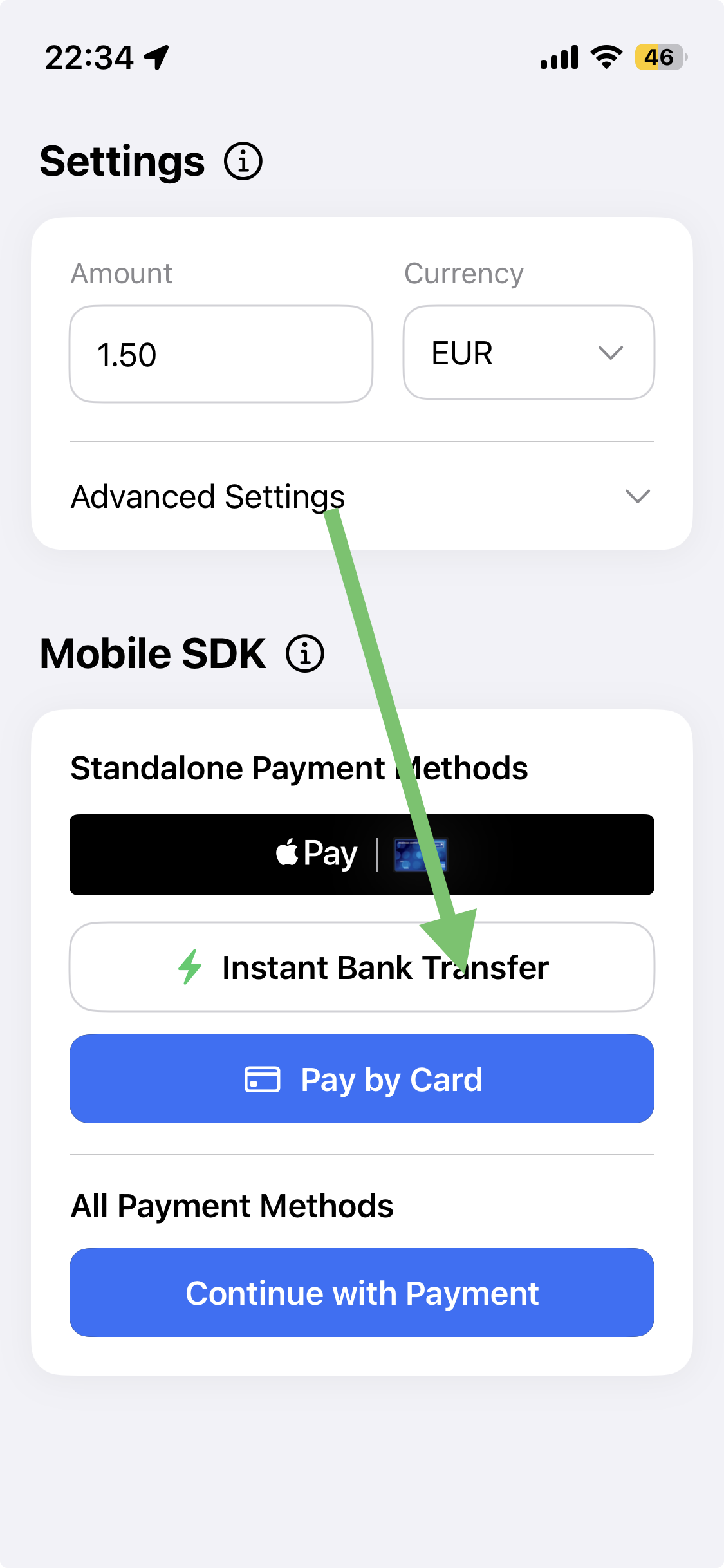 | 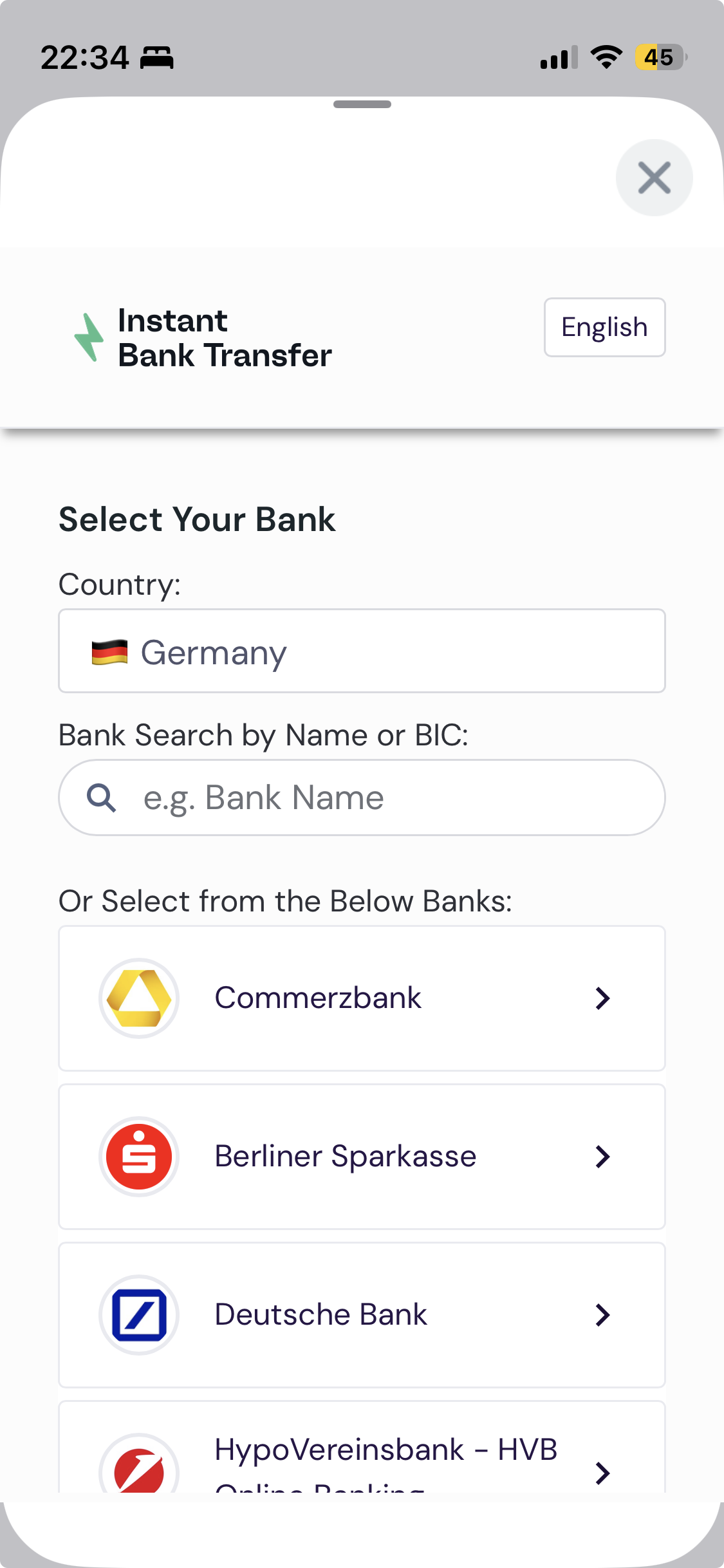 |
Flow: user taps Instant bank transfer → SDK opens the banking flow → user authorizes in their bank app or browser → user is redirected back to your app via deep link → result is returned via PBLPaymentResult.
Prerequisites
- The SDK is added to your project — see iOS SDK.
- Your
/mobile/initrequest includes the redirect URLs (url_success,url_failed,url_return,notification_url) andapp_schema. These are required for Instant Bank Transfer — see Setup Your Server. - Your app registers the URL scheme used in those redirect URLs (see below).
Deep link configuration (Info.plist)
Register the URL scheme so the bank redirect returns to your app. The scheme must match the app_schema and redirect URLs you send in /mobile/init. Add this to your Info.plist:
<key>CFBundleURLTypes</key>
<array>
  <dict>
    <key>CFBundleURLSchemes</key>
    <array>
      <string>payabl</string>
    </array>
    <key>CFBundleURLName</key>
    <string>Payment Callback</string>
  </dict>
</array>
The redirect URLs sent in /mobile/init can use your custom scheme or Universal Links:
{
  "app_schema": "payabl",
  "url_success": "payabl://payment-callback/success",
  "url_failed": "payabl://payment-callback/failed",
  "url_return": "https://yourdomain.com/payment-callback/return",
  "notification_url": "https://your-server.com/api/webhook"
}
Integration
1. Fetch session configuration
Request a session from your backend and build a PBLConfiguration. Create a new session for every payment attempt.
class DemoCartViewModel: ObservableObject {
    // In your server, this endpoint should call the /mobile/init API
    let backendCheckoutUrl = URL(string: "backend_endpoint/payment_page")!
    var instantBankTransfer: PBLInstantBankTransfer?
    var configuration: PBLConfiguration?
    @Published var pblInstantBankTransferLoaded: Bool = false

    func prepareOrder() async -> PBLConfiguration? {
        var request = URLRequest(url: backendCheckoutUrl)
        request.httpMethod = "POST"

        await withCheckedContinuation { continuation in
            let task = URLSession.shared.dataTask(with: request) { [weak self] data, response, error in
                guard let data = data,
                      let json = try? JSONSerialization.jsonObject(with: data) as? [String: Any]
                else { return }

                let sessionId = json["sessionId"] as! String
                let ephemeralKey = json["empheralKey"] as! String
                let transactionId = json["transactionId"] as! Int

                self?.configuration = PBLConfiguration(
                    sessionId: sessionId,
                    ephemeralKey: ephemeralKey,
                    customerId: "", // not used for Instant Bank Transfer
                    environment: .sandbox, // use .production when going live
                    transactionId: transactionId,
                    appleMerchantId: "merchant.payabl.isdk" // your Apple Merchant ID
                )
                continuation.resume()
            }
            task.resume()
        }
        return self.configuration
    }

    func prepareInstantBankTransfer() async -> PBLConfiguration? {
        guard await prepareOrder() != nil else { return nil }
        return self.configuration
    }
}
2. Adopt the delegates
Adopt PBLInstantBankTransferDelegate to provide the configuration when the button is tapped, receive the result, and supply your redirect path. Adopt PBLErrorDelegate for SDK errors raised outside the payment result.
extension DemoCartViewModel: PBLInstantBankTransferDelegate {
    // Called when the user taps the button — load the session, then hand the config back to the SDK
    func instantBankTransferTapped(onLoadSessionCompleted: @escaping (PBLConfiguration) -> Void) {
        Task {
            guard let config = await prepareInstantBankTransfer() else { return }
            onLoadSessionCompleted(config)
        }
    }

    // Called with the final result of the payment
    func instantBankTransferCompleted(result: PBLPaymentResult) {
        handleInstantBankResult(result)
    }

    // Return your redirect path — must match the redirect URLs sent in /mobile/init
    func instantBankTransferRedirectionUrl() -> String {
        return "payabl://payment-callback"
    }
}

extension DemoCartViewModel: PBLErrorDelegate {
    func errorOccured(error: any Error) {
        // Handle SDK errors (e.g., configuration or session issues)
        print("error from sdk: ", error)
    }
}
3. Add the button
Create the PBLInstantBankTransfer component and place its button in your view.
struct ContentView: View {
    let cartVM = DemoCartViewModel()

    var body: some View {
        HStack {
            if cartVM.pblInstantBankTransferLoaded {
                cartVM.instantBankTransfer?.button {
                    Text("Instant bank transfer")
                        .foregroundStyle(.white)
                        .background { Color.green }
                }
            }
        }
        .onAppear {
            cartVM.instantBankTransfer = PBLInstantBankTransfer(delegate: cartVM, errorDelegate: cartVM)
            cartVM.pblInstantBankTransferLoaded = true
        }
    }
}
4. Handle the result
instantBankTransferCompleted returns a PBLPaymentResult. Handle all three cases.
func handleInstantBankResult(result: PBLPaymentResult) {
    switch result {
    case .completed:
        // Payment flow finished — confirm via webhook before fulfilling (see note below)
        break
    case .canceled:
        // User cancelled the transfer
        break
    case .failed:
        // Inspect the error code — see Error Code Reference
        break
    }
}
Confirm the final status server-sideA completed result means the payment flow finished — it does not guarantee a successful transaction. The authoritative status is confirmed server-to-server via the
notification_urlwebhook. Reconcile against your backend before fulfilling the order. This applies whether Instant Bank Transfer is used standalone or through the Hosted Payment Page.
Testing
Use the sandbox environment (.sandbox) and the bank simulator to exercise success, failure, and cancellation returns. For sandbox bank values and test data across all payment methods, see Testing.
Test your URL scheme registration directly from Terminal with the Simulator running, without a full payment:xcrun simctl openurl booted "payabl://payment-callback/success"
Common issues
| Issue | Cause & resolution |
|---|---|
| App doesn't return after authorizing in the bank | URL scheme not registered in Info.plist, or it doesn't match the app_schema / redirect URLs sent in /mobile/init. |
| Bank flow opens but the result never arrives | instantBankTransferRedirectionUrl() doesn't match the redirect URLs configured in /mobile/init. |
| Backend error at init | Missing app_schema or redirect URLs in /mobile/init. See Setup Your Server. |
Integration checklist
Before going live:
- SDK installed per the repository README;
PBLConfigurationuses.productionin production builds. - Backend creates a session (
session_id,ephemeral_key) and sendsurl_return,url_success,url_failed,notification_url, andapp_schema. Info.plistregisters the URL scheme matching your redirect URLs.instantBankTransferRedirectionUrl()returns the correct redirect path.- URL scheme tested via
xcrun simctl openurl. - Completed, Canceled, and Failed cases all handled; success is only confirmed after the
notification_urlwebhook.
When something goes wrong, see Error Handling & Troubleshooting.
Updated 4 months ago