
Pay By Card
Pay by Card lets customers pay with a debit or credit card in a dedicated, card-only sheet, with 3D Secure authentication handled by the SDK. Use the standalone mode when you want to offer card payments directly — for example, as your only payment method or behind your own payment method selection UI. If you want payabl. to present all payment methods in one flow instead, use the Hosted Payment Page.
| Order Page | Pay By Card Page |
|---|---|
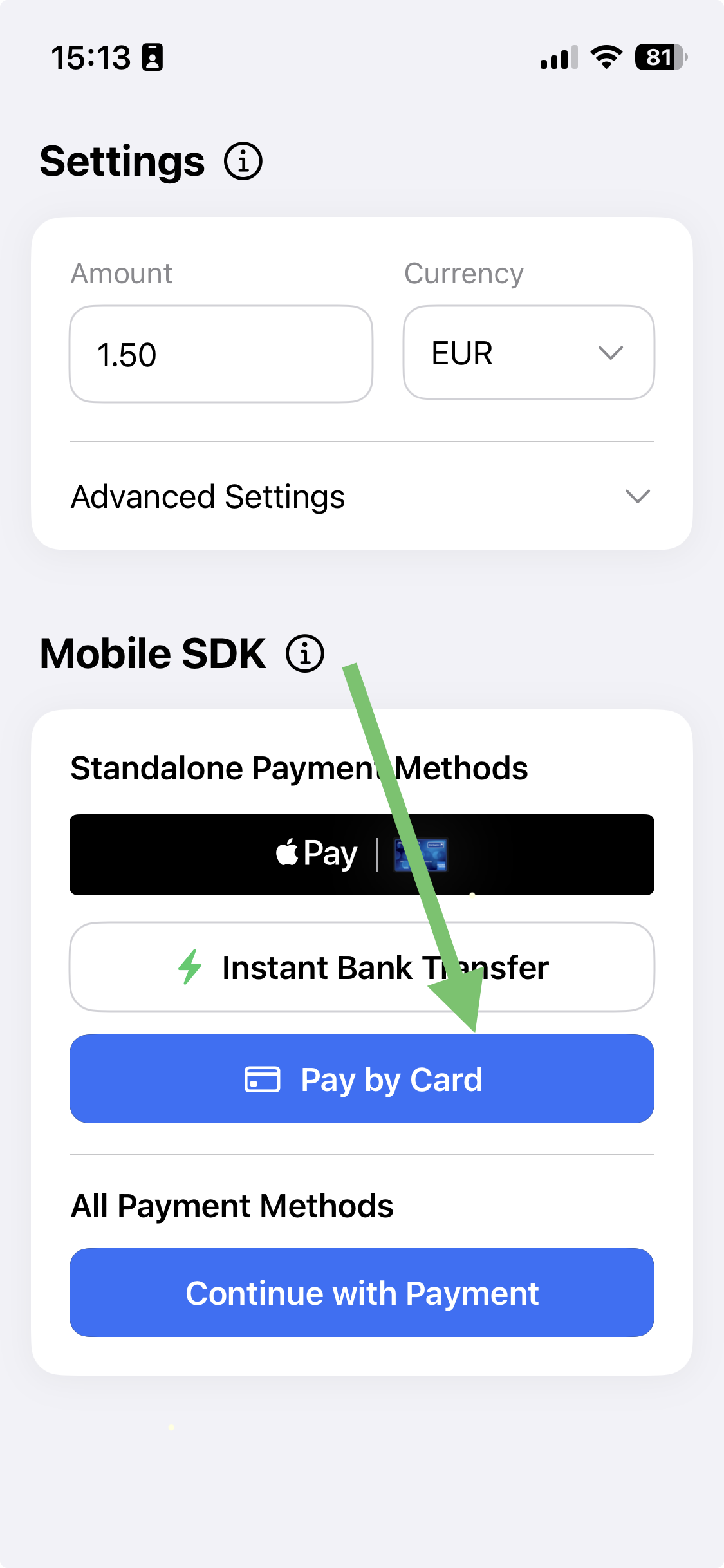 | 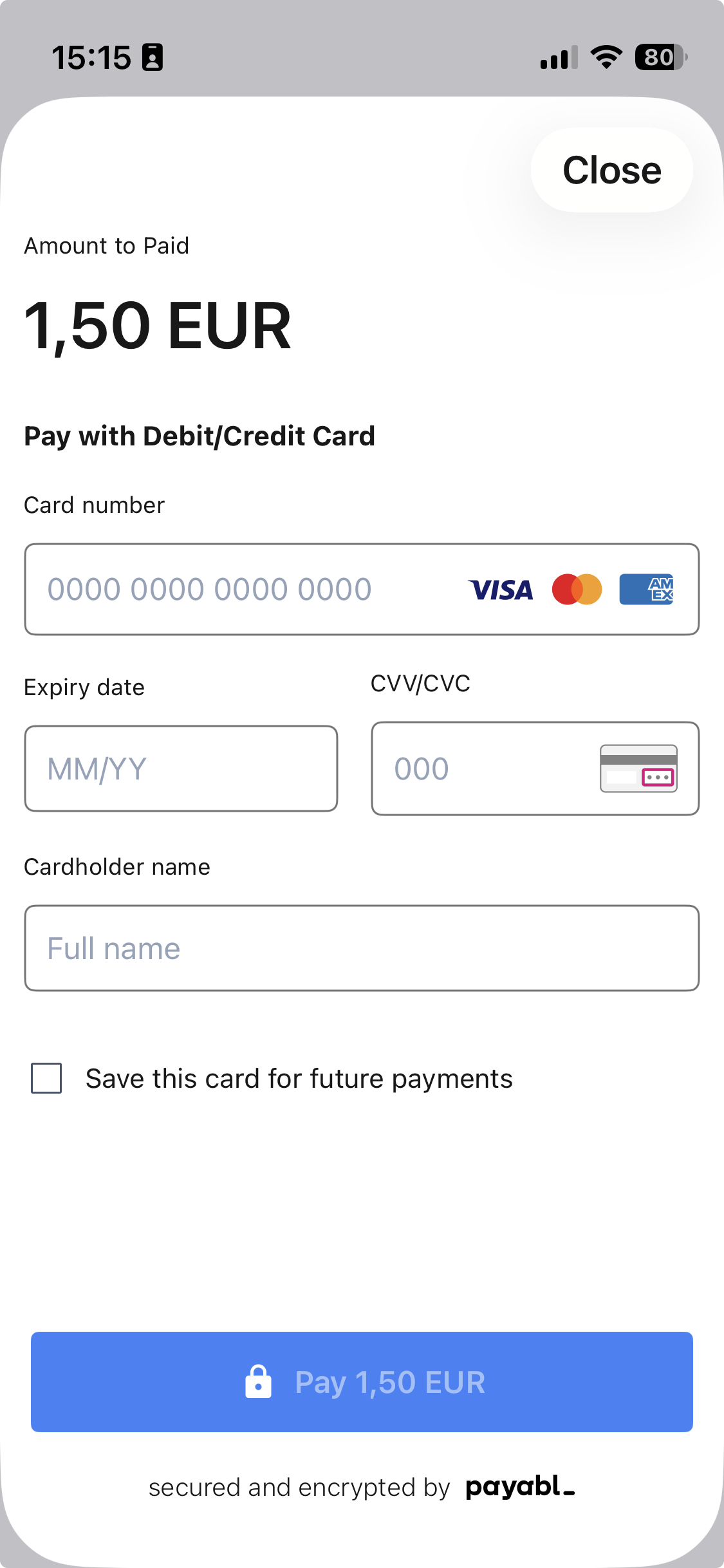 |
Flow: user taps Pay by card → card sheet opens → user enters card details (or selects a saved card) → result is returned via PBLPaymentResult.
Prerequisites
- The SDK is added to your project — see iOS SDK.
- Your backend can create a session via
/mobile/init— see Setup Your Server.
Integration
The SDK drives the payment flow through delegates. Your view model adopts:
PBLPayByCardDelegate— provides the session configuration when the user taps the button, and receives the payment result.PBLErrorDelegate— receives SDK errors raised outside the payment result.
1. Fetch session configuration
Request a session from your backend and build a PBLConfiguration. Create a new session for every payment attempt.
class CartViewModel: ObservableObject {
    @Published var isLoading = false

    // In your server, this endpoint should call the /mobile/init API
    let backendCheckoutUrl = URL(string: "backend_endpoint/payment_page")!

    func prepareOrder() async -> PBLConfiguration? {
        var request = URLRequest(url: backendCheckoutUrl)
        request.httpMethod = "POST"

        return await withCheckedContinuation { continuation in
            let task = URLSession.shared.dataTask(with: request) { data, response, error in
                guard let data = data,
                      let json = try? JSONSerialization.jsonObject(with: data) as? [String: Any]
                else { return }

                let sessionId = json["sessionId"] as! String
                let ephemeralKey = json["empheralKey"] as! String
                let transactionId = json["transactionId"] as! Int

                continuation.resume(
                    returning: PBLConfiguration(
                        sessionId: sessionId,
                        ephemeralKey: ephemeralKey,
                        customerId: "your_stable_customer_id",
                        environment: .sandbox, // use .production when going live
                        transactionId: transactionId,
                        appleMerchantId: "merchant.payabl.isdk" // your Apple Merchant ID
                    )
                )
            }
            task.resume()
        }
    }
}
Saved cardsThe SDK can securely save a customer's card and offer it for reuse on their next payment. To enable this, pass a stable, unique
customerIdfor the customer inPBLConfiguration— the same value every time that customer pays.Saved cards are scoped to the
customerId, so the value must consistently identify the same person across sessions (for example, your internal customer ID). If you pass a different, random, or emptycustomerIdbetween payments, previously saved cards won't be shown.Never use a value that changes per session (such as the
sessionId) or personally identifying data (such as an email address) as thecustomerId.
2. Adopt the delegates and add the button
Adopt PBLPayByCardDelegate to provide the configuration when the user taps the button and to receive the result. Present the card sheet using PBLPayByCardButton.
extension CartViewModel: PBLPayByCardDelegate {
    // Called when the user taps the button — load the session, then hand the config back to the SDK
    func payByCardPageTapped(onLoadSessionCompleted: @escaping (PBLConfiguration) -> Void) {
        Task {
            guard let config = await prepareOrder() else { return }
            onLoadSessionCompleted(config)
        }
    }

    // Called with the final result of the payment
    func payByCardPageCompleted(result: PBLPaymentResult) {
        handlePaymentResult(result)
    }
}

extension CartViewModel: PBLErrorDelegate {
    func errorOccured(error: any Error) {
        // Handle SDK errors (e.g., configuration or session issues)
        print("error from sdk: ", error)
    }
}struct ContentView: View {
@StateObject var cartVM = CartViewModel()
var body: some View {
VStack {
PBLPayByCardButton(delegate: cartVM, errorDelegate: cartVM) {
Text("Pay by card")
.foregroundStyle(.white)
.font(.body)
.frame(maxWidth: .infinity, minHeight: 45)
}
}
}
}3. Handle the result
payByCardPageCompleted returns a PBLPaymentResult. Handle all three cases.
func handlePaymentResult(result: PBLPaymentResult) {
    switch result {
    case .completed:
        // Payment successful — update order status
        break
    case .canceled:
        // User cancelled the payment
        break
    case .failed:
        // Payment failed — inspect the result for the error code
        break
    }
}
Best practices
Do:
- Create a new session for each payment attempt.
- Build the
PBLConfigurationonly when the user starts a payment. - Pass a stable, unique
customerIdper customer if you want saved cards to work.
Don't:
- Reuse sessions across multiple payments.
- Share sessions between users.
- Use a changing or shared value for
customerId— it breaks saved cards and can mix customers' saved cards.
Testing
Use the sandbox environment (.sandbox) throughout development. To smoke-test a payment, use this success card (expiry: any future date; CVV: any 3 digits):
| Card network | Card number | Expected result |
|---|---|---|
| VISA | 4149011500000147 | PBLPaymentResult.completed |
For the complete set of test cards and decline scenarios (insufficient funds, do-not-honor, and more), see Testing.
Common issues
| Issue | Cause & resolution |
|---|---|
| Saved card not appearing for a returning customer | A different, empty, or changing customerId was passed. Use the same stable customerId for the customer on every payment. |
| Session error on launch | The session was reused, expired, or belongs to a different user. Create a fresh session per attempt. |
| Payment fails with an error code | Look up the code in the Error Code Reference — declines like insufficient funds (51) come from the card issuer and are expected in normal operation. |
When something goes wrong, see Error Handling & Troubleshooting.
Updated 3 months ago