
Instant Bank Transfer
Instant Bank Transfer lets customers pay directly from their bank account — no card required. Powered by open banking, it offers strong security through bank-level authentication and settles account-to-account, making it a popular low-cost payment option across Europe.
To authorize the payment, the customer is briefly taken to their banking app or browser and then returned to your app via a deep link — this page covers the full setup. The same deep link configuration also applies when Instant Bank Transfer is offered through the Hosted Payment Page.
| Order Page | Bank selection page |
|---|---|
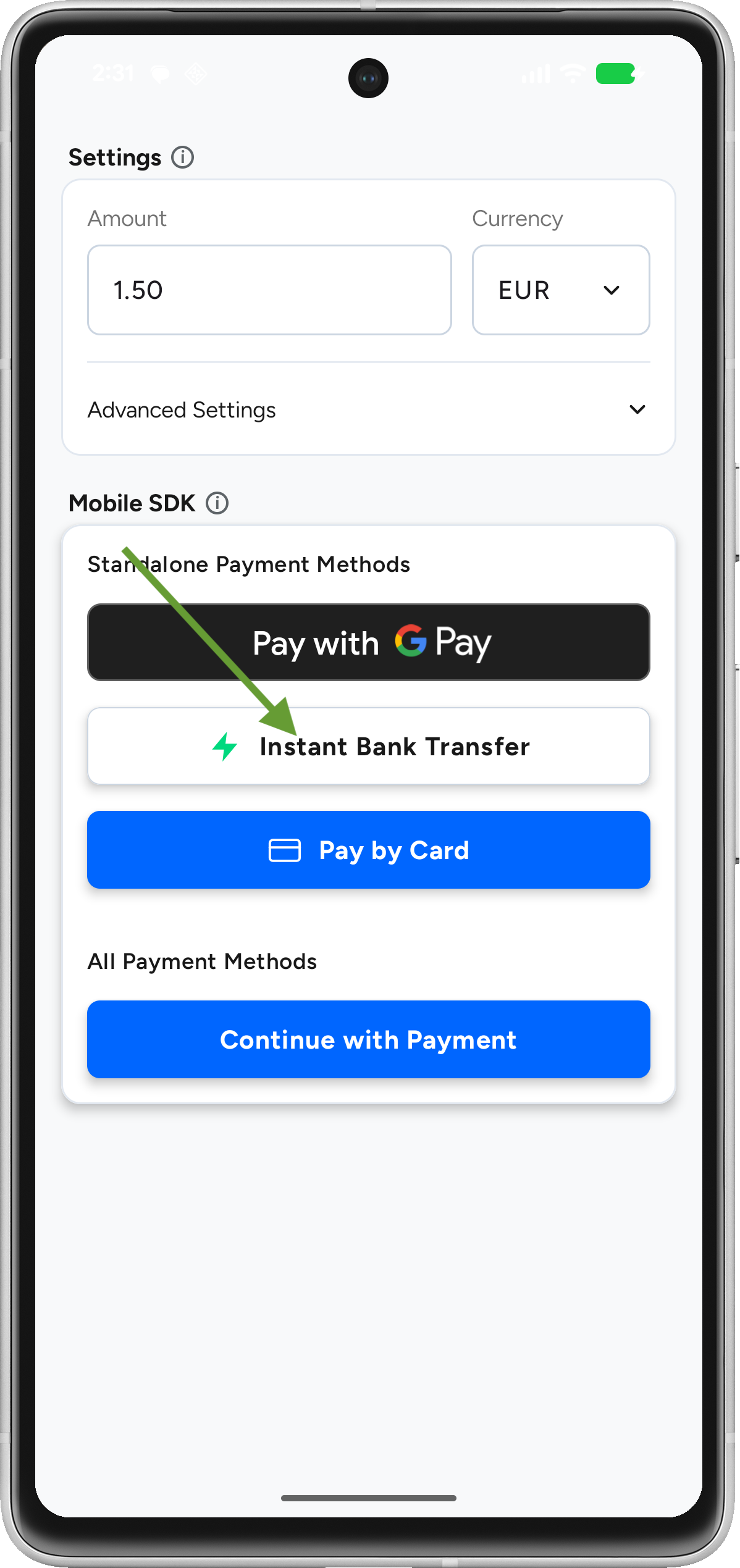 | 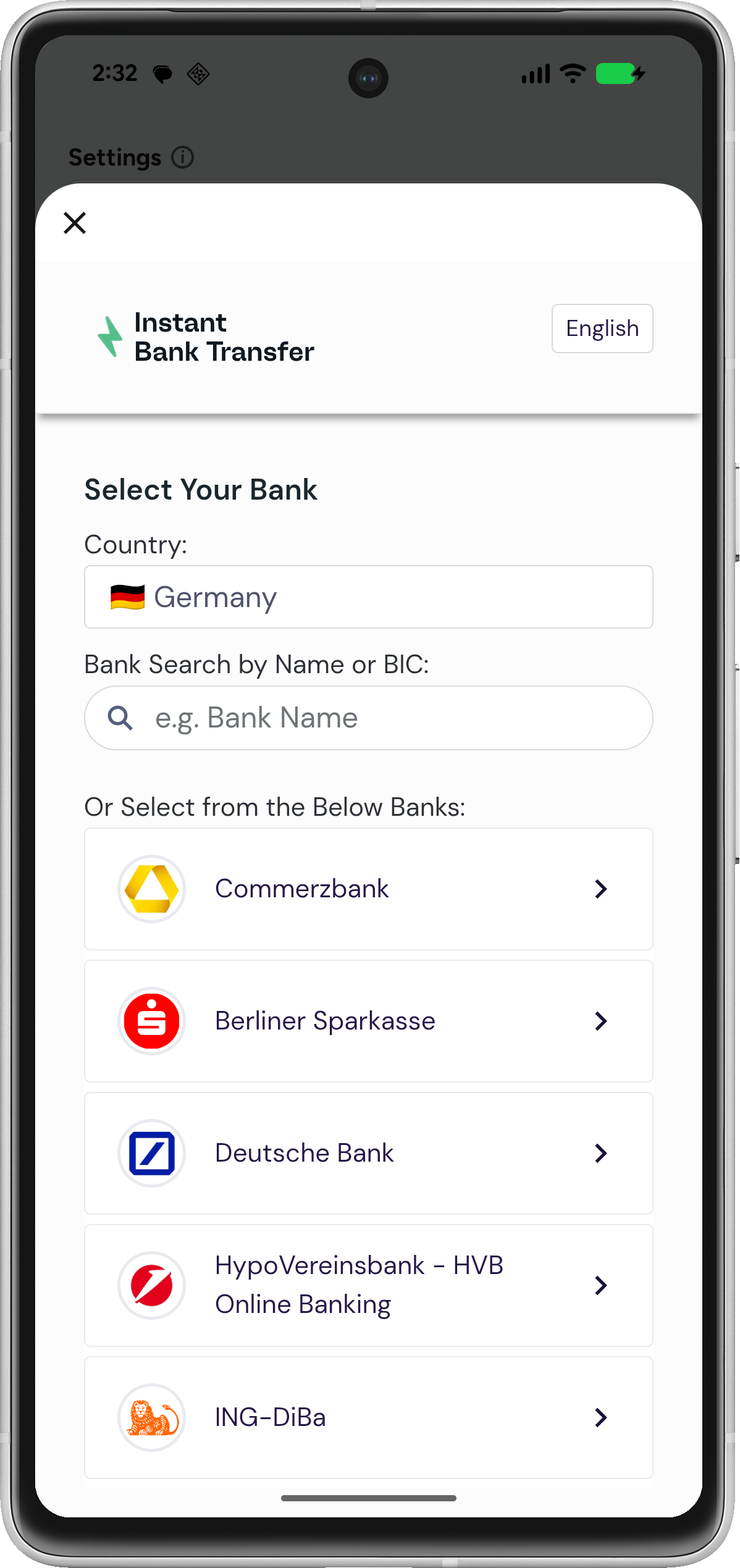 |
Flow: user taps Pay by bank → SDK opens the banking flow → user authorizes in their bank app or browser → user is redirected back to your app via deep link → result is returned via PBLPaymentResult.
Prerequisites
- The SDK is added to your project — see Android SDK.
- Your
/mobile/initrequest includes the redirect URLs (url_success,url_failed,url_return,notification_url) andapp_schema. These are required for Instant Bank Transfer. Please see Setup Your Server - Your app is configured to handle the deep link back from the bank (see below).
Deep link configuration
You must configure a deep link so the bank redirect returns to your app. Add an intent filter to the Activity that handles the payment (e.g., MainActivity) in your AndroidManifest.xml. The scheme and host must match the redirect URLs you send in /mobile/init.
Option A: Custom scheme (recommended)
<activity android:name=".MainActivity" ...>
    <intent-filter>
        <action android:name="android.intent.action.VIEW" />
        <category android:name="android.intent.category.DEFAULT" />
        <category android:name="android.intent.category.BROWSABLE" />
        <data android:scheme="payabl" android:host="payment-callback" />
    </intent-filter>
</activity>
Option B: App Links (HTTPS)
If you use App Links, enable autoVerify and match your verified domain. This requires a published assetlinks.json on your domain.
<intent-filter android:autoVerify="true">
    <action android:name="android.intent.action.VIEW" />
    <category android:name="android.intent.category.DEFAULT" />
    <category android:name="android.intent.category.BROWSABLE" />
    <data android:scheme="https" android:host="your-domain.com" android:path="/payment-callback" />
</intent-filter>
Integration
1. Fetch session configuration
Request a session from your backend and build a PBLConfiguration. Create a new session for every payment attempt.
import co.payabl.android_sdk.PBLConfiguration
import co.payabl.android_sdk.PBLEnvironment
import co.payabl.android_sdk.PayablSDK

suspend fun fetchSessionConfigurationFromBackend(): PBLConfiguration {
    // Call your backend, which calls /mobile/init
    return PBLConfiguration(
        sessionId = "session_id_from_backend",
        ephemeralKey = "ephemeral_key_from_backend",
        environment = PBLEnvironment.SANDBOX // use PBLEnvironment.PRODUCTION when going live
    )
}
2. Start the transfer
Initialize the SDK when the user starts the payment, then launch the Instant Bank Transfer flow. This opens a DialogFragment that manages the web flow.
private var payablSDK: PayablSDK? = null

private fun startInstantBankTransferFlow() {
    lifecycleScope.launch {
        try {
            val configuration = fetchSessionConfigurationFromBackend()
            payablSDK = PayablSDK.init(configuration)
            payablSDK?.startInstantBankTransfer(supportFragmentManager) { result ->
                handleInstantBankResult(result)
            }
        } catch (e: Exception) {
            // Handle initialization errors
        }
    }
}
3. Handle the deep link return
When the customer returns from the bank, your Activity receives an Intent. Forward it to the SDK with handlePaymentCallback. Handle it in both onNewIntent (app still running) and onCreate (app was killed and relaunched by the deep link).
override fun onNewIntent(intent: Intent) {
    super.onNewIntent(intent)
    setIntent(intent)
    handleDeepLink(intent)
}

private fun handleDeepLink(intent: Intent?) {
    val data: Uri = intent?.data ?: return
    if (isPaymentCallbackUrl(data)) {
        payablSDK?.handlePaymentCallback(data)
    }
}

// Match the scheme/host/path you configured in the manifest and sent in /mobile/init
private fun isPaymentCallbackUrl(uri: Uri): Boolean {
    val scheme = uri.scheme ?: return false
    val host = uri.host ?: return false
    val path = uri.path ?: ""

    // Custom scheme, e.g. payabl://payment-callback/...
    if (scheme == "payabl" && host.contains("payment-callback", ignoreCase = true)) {
        return true
    }
    // App Links, e.g. https://your-domain.com/payment-callback/...
    if (scheme == "https" && path.contains("/payment-callback", ignoreCase = true)) {
        return true
    }
    return false
}
Also callhandleDeepLink(intent)fromonCreate(using the launch intent) so a payment that relaunches a killed app is still completed.
4. Handle the result
The SDK returns a PBLPaymentResult. Handle all three cases and release the SDK reference.
private fun handleInstantBankResult(result: PBLPaymentResult) {
    when (result) {
        is PBLPaymentResult.Completed -> {
            val status = result.status
            // Payment flow finished — confirm via webhook before fulfilling (see note below)
        }
        is PBLPaymentResult.Canceled -> {
            // User cancelled the transfer
        }
        is PBLPaymentResult.Failed -> {
            val errorMessage = when (result) {
                is PBLPaymentResult.Failed.Error -> "Error code: ${result.code}"
                else -> "Unknown error"
            }
            // Inspect the error code — see Error Code Reference
        }
    }
    payablSDK = null
}
Confirm the final status server-side
PBLPaymentResult.Completedmeans the payment flow finished — it does not guarantee a successful transaction. The authoritative status is confirmed server-to-server via thenotification_urlwebhook. Reconcile against your backend before fulfilling the order. This applies whether Instant Bank Transfer is used standalone or through the Hosted Payment Page.
Lifecycle & cleanup
- Keep
payablSDKas an Activity property and clear it when finished:
override fun onDestroy() {
    super.onDestroy()
    payablSDK = null
}- Don't reuse a
PayablSDKinstance across sessions — callPayablSDK.init(configuration)for each new payment.
Testing
Use the sandbox environment (PBLEnvironment.SANDBOX) and the bank simulator to exercise success, failure, and cancellation returns. For sandbox bank values and test data across all payment methods, see Testing.
Test your deep link handling directly with ADB, without running a full payment:adb shell am start -a android.intent.action.VIEW -d "payabl://payment-callback/success"
Common issues
| Issue | Cause & resolution |
|---|---|
| App doesn't return after authorizing in the bank | Deep link not configured, or the manifest scheme/host doesn't match the redirect URLs sent in /mobile/init. |
| Payment completes but the app doesn't update | handlePaymentCallback not called from onNewIntent/onCreate, or isPaymentCallbackUrl rejected the URI. |
| App Links open in the browser instead of the app | autoVerify failed — check your assetlinks.json is published and matches your signing certificate. |
| Backend error at init | Missing app_schema or redirect URLs in /mobile/init. See Setup Your Server. |
| App relaunches but payment is lost | Deep link not handled in onCreate for the killed-app case. |
Integration checklist
Before going live:
- SDK installed per the repository README;
PBLConfigurationusesPBLEnvironment.PRODUCTIONin production builds. - Backend creates a session (
session_id,ephemeral_key) and sendsurl_return,url_success,url_failed,notification_url, andapp_schema. AndroidManifest.xmlincludes the intent filter for your callback URL.onNewIntentandonCreateforwardintent.datatopayablSDK.handlePaymentCallback(uri).- Deep links tested with ADB.
- Completed, Canceled, and Failed cases all handled; success is only confirmed after the
notification_urlwebhook.
When something goes wrong, see Error Handling & Troubleshooting.
Updated 3 months ago