
Hosted Checkout Page
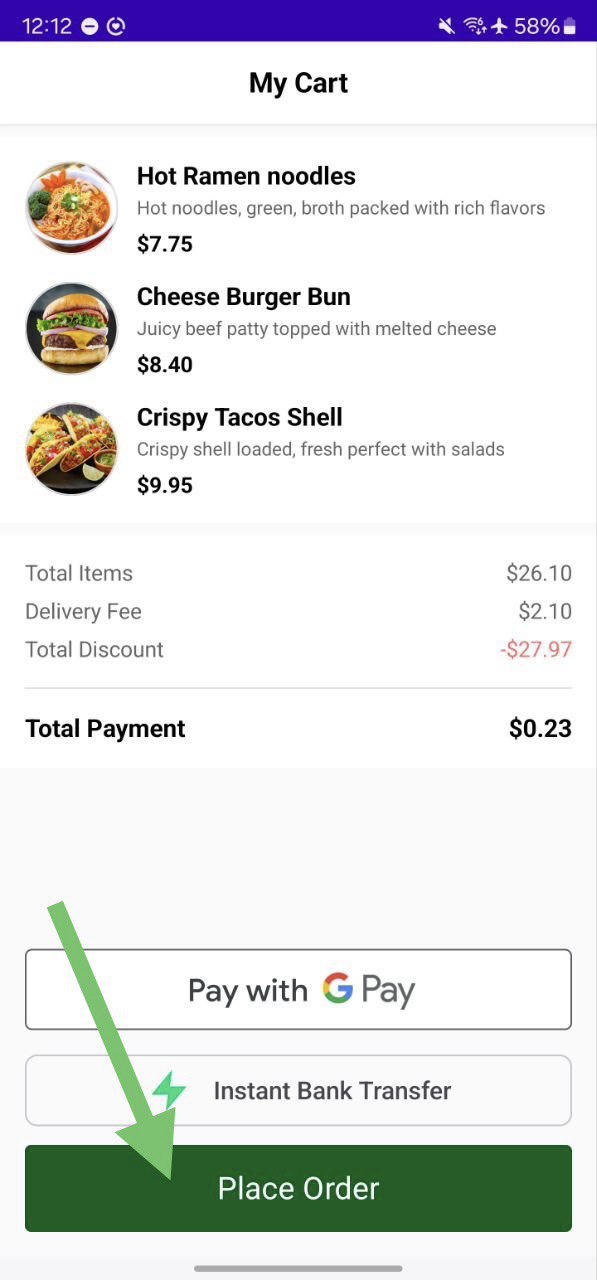
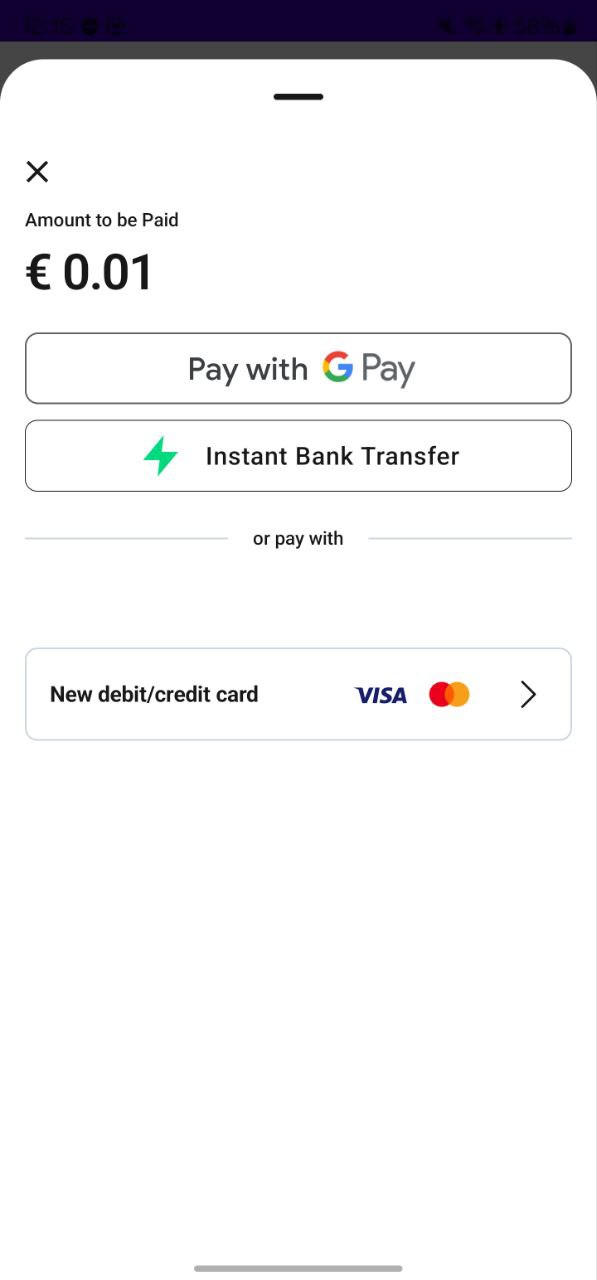
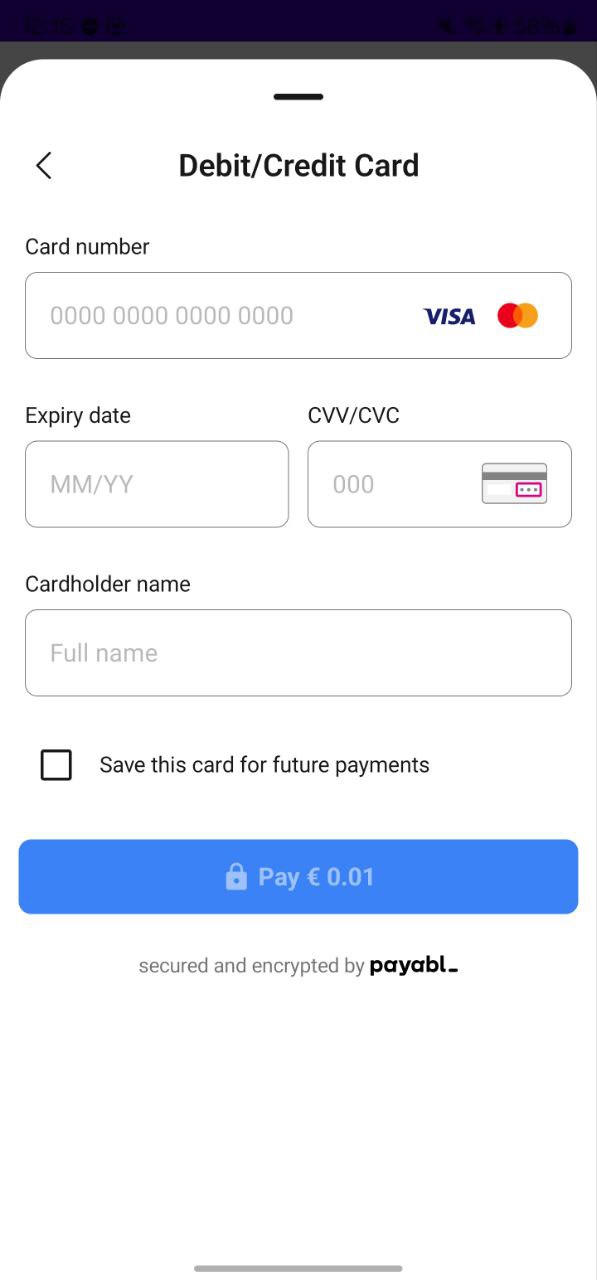
The Hosted Checkout Page provides a unified payment UI with three options:
- Google Pay
- Instant Bank Transfer
- Pay by Card
Flow: user taps Pay → Hosted Checkout Page opens → user selects a payment method → result is returned via PBLPaymentResult.
Integration
- Fetch session configuration
private suspend fun fetchSessionConfiguration(): PBLConfiguration {
    val response = apiClient.initPayment()
    return PBLConfiguration(
        sessionId = response.sessionId,
        ephemeralKey = response.ephemeralKey,
        userId = "user_id_from_app",
        environment = PBLEnvironment.SANDBOX
    )
}- Launch the Hosted Payment Page
private var payablSDK: PayablSDK? = null

private fun placeOrderWithSessionInit() {
    lifecycleScope.launch {
        val configuration = fetchSessionConfiguration()
        payablSDK = PayablSDK.init(configuration)
        payablSDK?.start(supportFragmentManager) { result ->
            handlePaymentResult(result)
        }
    }
}- Handle results
private fun handlePaymentResult(result: PBLPaymentResult) {
    when (result) {
        is PBLPaymentResult.Completed -> {
            // Payment successful
        }
        is PBLPaymentResult.Canceled -> {
            // User cancelled
        }
        is PBLPaymentResult.Failed -> {
            // Payment failed
        }
    }
    payablSDK = null
}
Best Practises
DO:
- Create a new session for each payment attempt.
- Initialize
PayablSDKonly when user starts payment. - Clean up
payablSDKafter receiving a result.
DON'T:
- Reuse sessions across multiple payments.
- Initialize SDK at app startup.
- Share sessions between users.
Testing
Sandbox Configuration
Use sandbox while developing:
val configuration = PBLConfiguration(
    sessionId = "sandbox_session_id",
    ephemeralKey = "sandbox_ephemeral_key",
    userId = "test_user_123",
    environment = PBLEnvironment.SANDBOX
)
Test Scenarios (Pay by Card)
Here are the comprehensive test scenarios for Pay by Card using the provided test card numbers. Use Sandbox environment (PBLEnvironment.SANDBOX) for all tests.
Test Card Details
- Expiry Date: Any future date (MM/YY later than current date, e.g., 12/27)
- CVV/CVC: Any 3 digits (e.g., 123)
Success Scenarios
| Card Network | Card Number | Expected Result | Notes |
|---|---|---|---|
| Mastercard | 5232050000010003 | PBLPaymentResult.Completed | Successful authorization |
| VISA | 4149011500000147 | PBLPaymentResult.Completed | Successful authorization |
Decline Scenarios
| Card Network | Card Number | Expected Result | Error Code | Error Meaning |
|---|---|---|---|---|
| VISA | 4024007119078466 | PBLPaymentResult.Failed.Error | 51 | Insufficient funds |
| VISA | 4532904789286871 | PBLPaymentResult.Failed.Error | 41 | Lost card / Do Not Honor |