
Instant Bank Transfer Integration
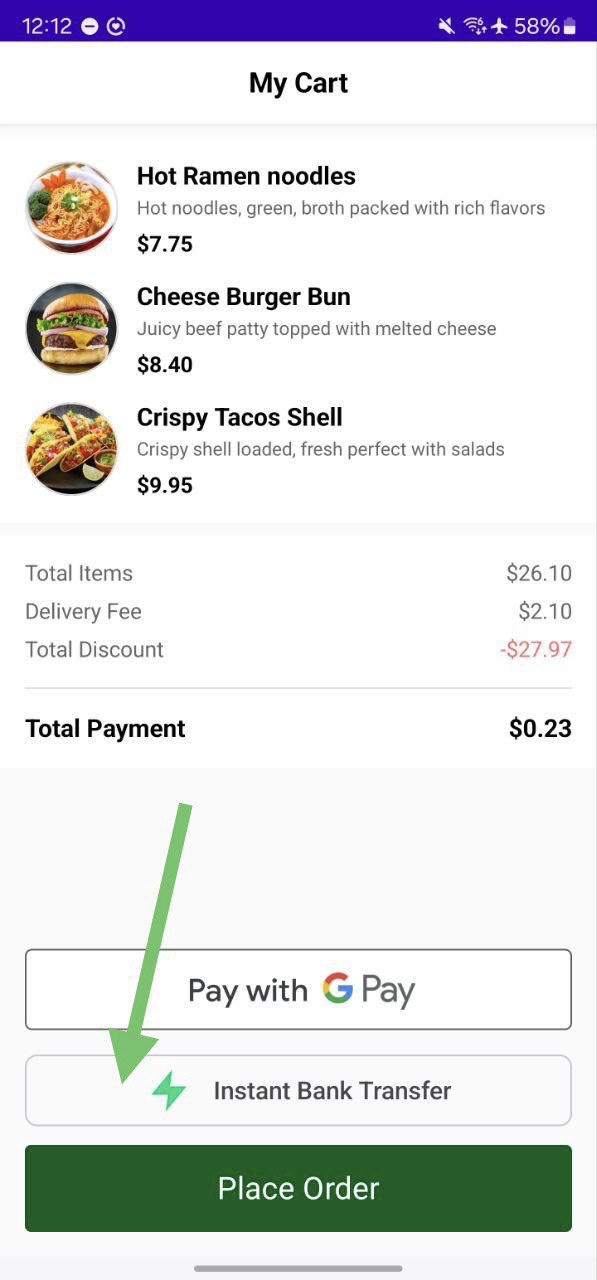
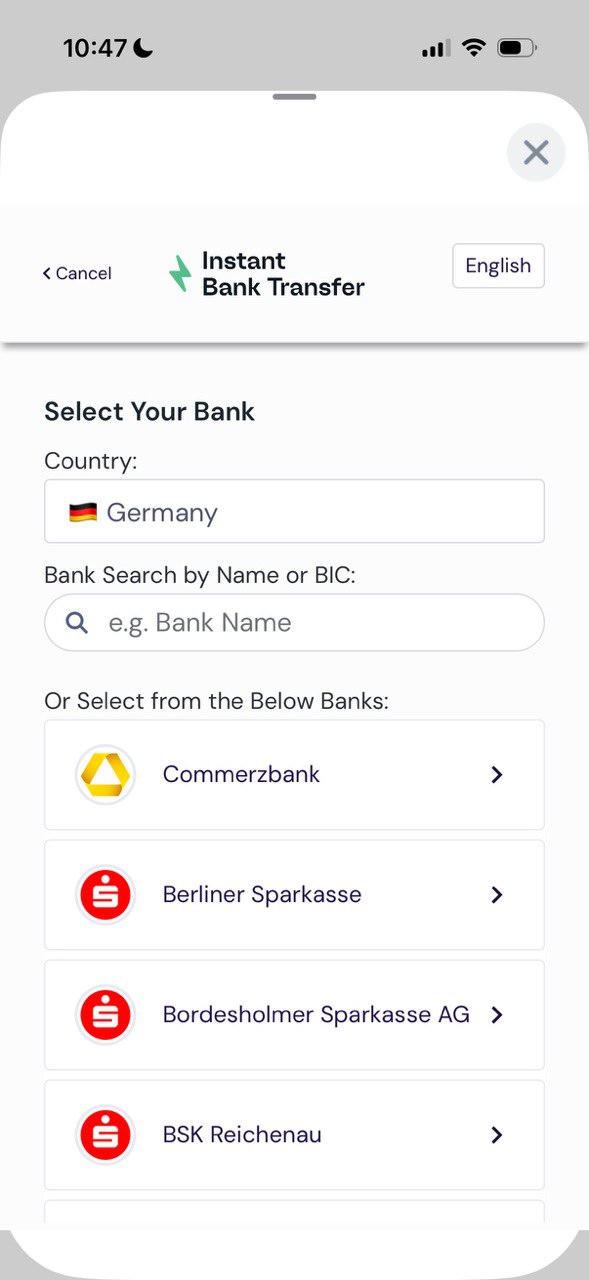
This section covers the integration of payabl. Instant Bank Transfer. This feature redirects users to their banking app or browser and returns them to your app via a deep link.
Prerequisites
- Callback URLs configured on your backend (e.g., payabl://payment-callback or https://your-domain.com/payment-callback).
- Refer Server-Side requirement
Manifest Configuration
You must configure Deep Links to handle the redirect back from the bank. Add the following intent-filter to the Activity handling the payment (e.g., MainActivity) in your AndroidManifest.xml.
Option A: Custom Scheme (Recommended)
<activity android:name=".MainActivity" ...>
    <intent-filter>
        <action android:name="android.intent.action.VIEW" />
        <category android:name="android.intent.category.DEFAULT" />
        <category android:name="android.intent.category.BROWSABLE" />
        <data android:scheme="payabl" android:host="payment-callback" />
    </intent-filter>
</activity>
Option B: App Links (HTTPS) If you use App Links, ensure autoVerify is enabled and the host matches your domain.
<intent-filter android:autoVerify="true">
    <action android:name="android.intent.action.VIEW" />
    <category android:name="android.intent.category.DEFAULT" />
    <category android:name="android.intent.category.BROWSABLE" />
    <data android:scheme="https" android:host="your-domain.com" android:path="/payment-callback" />
</intent-filter>
Instant Bank Implementation
Initialize the SDK
You must fetch the session configuration from your backend and initialize the PayablSDK.
import co.payabl.android_sdk.PBLConfiguration
import co.payabl.android_sdk.PBLEnvironment
import co.payabl.android_sdk.PayablSDK

// 1. Fetch config from your backend
suspend fun fetchSessionConfigurationFromBackend(): PBLConfiguration {
    // Call your backend API here
    return PBLConfiguration(
        sessionId = "session_id_from_backend",
        ephemeralKey = "ephemeral_key_from_backend",
        userId = "unique_user_id",
        environment = PBLEnvironment.SANDBOX // Change to PRODUCTION for live builds
    )
}

// 2. Initialize SDK
private var payablSDK: PayablSDK? = null

private fun startInstantBankTransferFlow() {
    lifecycleScope.launch {
        try {
            val configuration = fetchSessionConfigurationFromBackend()
            payablSDK = PayablSDK.init(configuration)
            launchInstantBankTransfer()
        } catch (e: Exception) {
            // Handle initialization errors
        }
    }
}
Start the Transfer
Use startInstantBankTransfer to launch the banking UI. This will open a DialogFragment that manages the web flow.
private fun launchInstantBankTransfer() {
    payablSDK?.startInstantBankTransfer(supportFragmentManager) { result ->
        handleInstantBankResult(result)
    }
}
Handle Deep Links
When the user returns from the bank app or browser, your app will receive an Intent. You must forward this to the SDK using handlePaymentCallback. Override onNewIntent (and onCreate if the app was killed) in your Activity:
override fun onNewIntent(intent: Intent) {
    super.onNewIntent(intent)
    setIntent(intent) // Update the intent
    handleDeepLink(intent)
}

private fun handleDeepLink(intent: Intent?) {
    val data: Uri? = intent?.data
    if (data != null) {
        // Verify this is a payment callback (check scheme/host)
        if (isPaymentCallbackUrl(data)) {
            // Forward to SDK
            payablSDK?.handlePaymentCallback(data)
        }
    }
}

/**
 * Check if the URI is a payment callback URL that should be forwarded to SDK
 * Supports both custom scheme and HTTPS URLs:
 * - payabl://payment-callback/
 * - https://your-domain.com/payment-callback/...
 */
private fun isPaymentCallbackUrl(uri: Uri): Boolean {
    val host = uri.host ?: return false
    val scheme = uri.scheme ?: return false
    val path = uri.path ?: ""
    Log.d(TAG, "isPaymentCallbackUrl: scheme=$scheme, host=$host, path=$path")

    // Custom scheme, e.g. payabl://payment-callback/...
    if (scheme == "payabl" && host.contains("payment-callback", ignoreCase = true)) {
        return true
    }

    // HTTPS URLs with /payment-callback path
    if (scheme == "https" && path.contains("/payment-callback", ignoreCase = true)) {
        return true
    }
    return false
}
Handle Results
Implement the callback to handle Completed, Canceled, or Failed states.
private fun handleInstantBankResult(result: PBLPaymentResult) {
    when (result) {
        is PBLPaymentResult.Completed -> {
            val status = result.status
            Log.d("Payabl", "Success: OrderID ${status?.orderId}, Amount ${status?.amount}")
            // Show success UI
        }
        is PBLPaymentResult.Canceled -> {
            // User manually canceled the transaction
        }
        is PBLPaymentResult.Failed -> {
            // Handle errors (SecurityViolation, Network error, etc.)
            val errorMessage = when (result) {
                is PBLPaymentResult.Failed.Error -> "Error code: ${result.code}"
                else -> "Unknown error"
            }
            Log.e("Payabl", errorMessage)
        }
    }
    // Cleanup
    payablSDK = null
}
Note
PBLPaymentResult.Completed: indicates that the payment flow has finished, but it does not guarantee a successful transaction. The final transaction status will be confirmed through a server-to-server notification sent to your backend via the notification_url.
Lifecycle & Cleanup
To avoid memory leaks and unexpected behavior:
- Keep
payablSDKas an Activity property and clear it when finished:
override fun onDestroy() {
    super.onDestroy()
    payablSDK = null
}
Do not reuse the same PayablSDK instance across different payment sessions. Call PayablSDK.init(configuration) for each new session.
Integration Checklist
Before going live, verify:
SDK setup
implementation("co.payabl:android-sdk:2.0.0") is addedPBLConfigurationusesPBLEnvironment.PRODUCTIONin production builds
Backend & session
- Backend can create session (
session_id,ephemeral_key) - Callback URLs (
url_return,url_success,url_failed,notification_url) are correctly configured
Deep links
AndroidManifest.xmlincludes intent filters for your callback URLsonCreateandonNewIntentforwardintent.datatopayablSDK.handlePaymentCallback(uri)- Test deep links using ADB or Android Studio Run Configuration
UX
- “Pay by bank” button shows loading state while session is initialized
- You handle Completed, Canceled, and all Failed cases
- The sheet closes and user is returned to an appropriate screen